Thursday, September 7, 2017

UNLCOCK VODAFONE FIRSTSMART 6

Labels:

Sunday, April 2, 2017

How to Root Android with KingoRoot (PC Version)

KingoRoot Android(PC Version) offers every Android user the easiest one-click method to root any Android devices. How to use this universal Android root software to root your Android device? Here we go.

Root your Android via KingoRoot APK without connecting to PC.


IMPORTANT It is suggested that you try KingoRoot Apk first. It is more convenient and easy to use without connecting to a computer.
  • Allow installation of apps from unknown sources on your Android device.
  •  Settings > Security > Unknown Sources
  • Free download KingoRoot.apk on your Android.
  • Install and launch KingoRoot.
  • Press "One Click Root" on the main interface.
  • Wait a few seconds until the result appear.
  • Try a few more times for different rooting methods if failed.
  • If still failed, refer to KingoRoot Android PC Version, which has a higher success rate.
For more detailed tutorial, please click

How to Root Android with KingoRoot (PC Version)


Make sure you get everything right beforehand.
  • Device powered ON
  • At least 50% battery level
  • Internet connection necessary
  • USB Cable (the original one recommended)
START ROOTING...
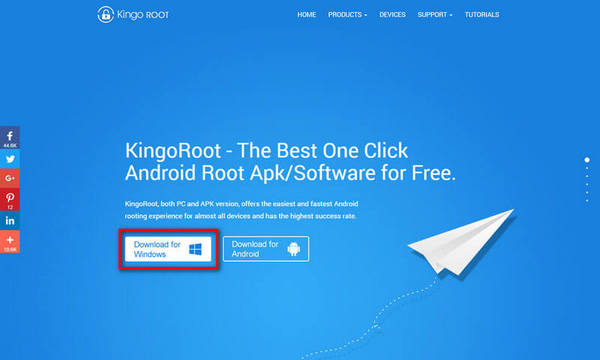
  1. Free download and install KingoRoot Android (PC Version).
  2. Kingo offers the best one-click Android root software for free. Just download and install it now.
    Root any Android device with KingoRoot, the best one-click Android root tool.
  3. Double click the desktop icon of Kingo Android Root and launch it.
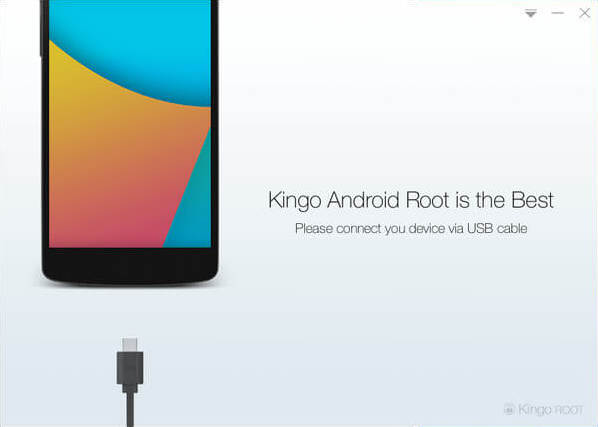
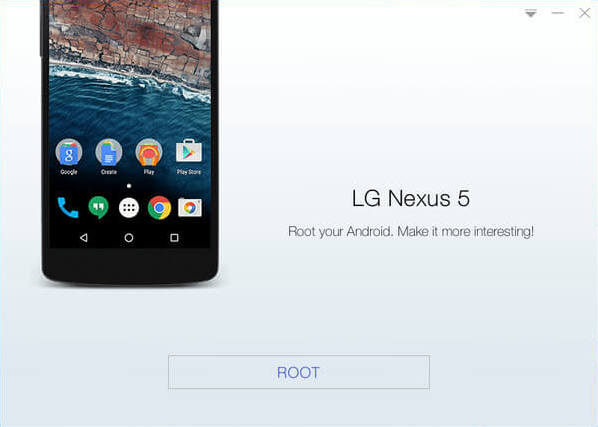
  4. After launching Kingo Android Root, you will see its interface as shown below.
    Root any Android device with KingoRoot, the best one-click Android root tool.
  5. Plug your Android device into your computer via USB cable.
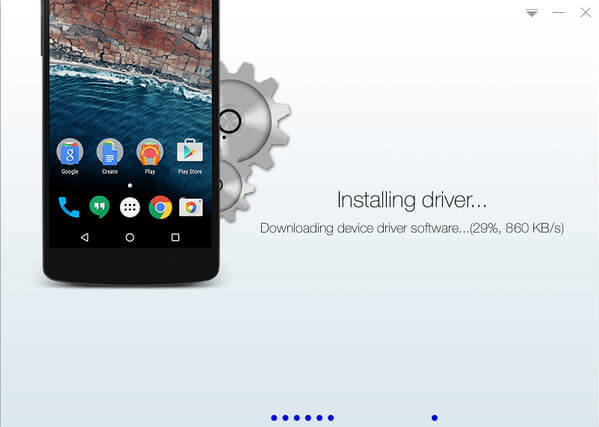
  6. If your device driver is not installed on your Computer, Kingo will install it for you automatically. Make sure you get Internet conenction so that device driver can be downloaded. If you are using Windows 8, you may need to change some settings first. When running Kingo Android Root on Windows 8, the issue you may most likely encounter is driver installation looping.
    Root any Android device with KingoRoot, the best one-click Android root tool.
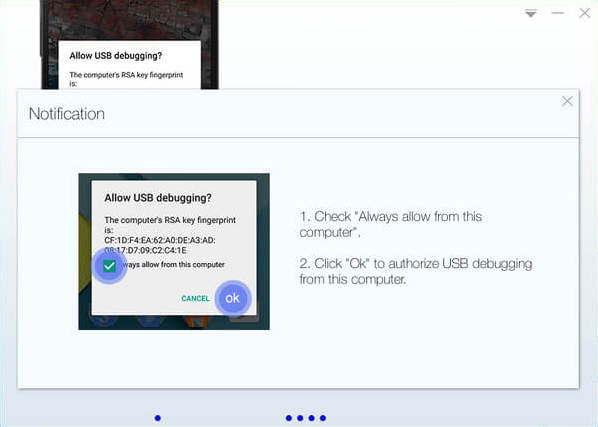
  7. Enable USB Debugging mode on your Android device.
  8. USB Debugging mode enabled is a necessary step of Android rooting process.
    INPORTANT: Pay attention to your device screen for a prompt window. Tick "Always allow from this computer". If you don't, you will probably get yourself an OFFLINE DEVICE.
    Root any Android device with KingoRoot, the best one-click Android root tool.
  9. Read notifications carefully before rooting your device.
  10. Android rooting is nothing big. However, it is not exactly a small issue either. Rooting your device may open a door for you, and yet with risks.
    Android rooting is a modification process to the original system, in which the limitations are removed and full-access is allowed and thus resulting in the ability to alter or replace system applications and settings, run specialized apps and even facilitate the removal and replacement of the device's operating system with a custom one. Rooting your device will immediately void your warranty...  Click to know more about Android Rooting.
    Root any Android device with KingoRoot, the best one-click Android root tool.
  11. Click "ROOT" to root your device.
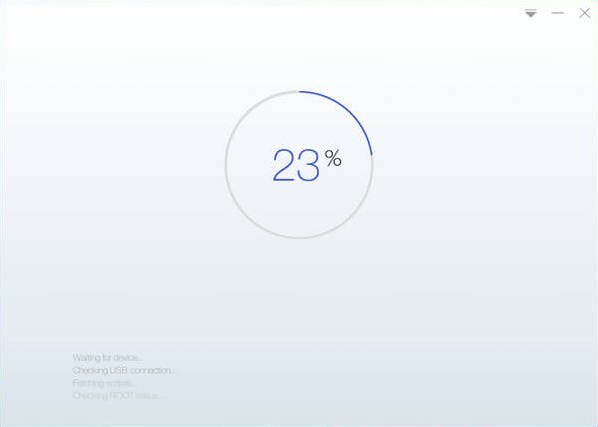
  12. Kingo Android Root will employ multiple exploits on your device, which will probably take a couple of minutes. In the rooting process, your device may be rebooted several times. Do not be panic, it is perfectly normal. And once it begins, please DO NOT touch, move, unplug or perform any operation on your device.
    Root any Android device with KingoRoot, the best one-click Android root tool.
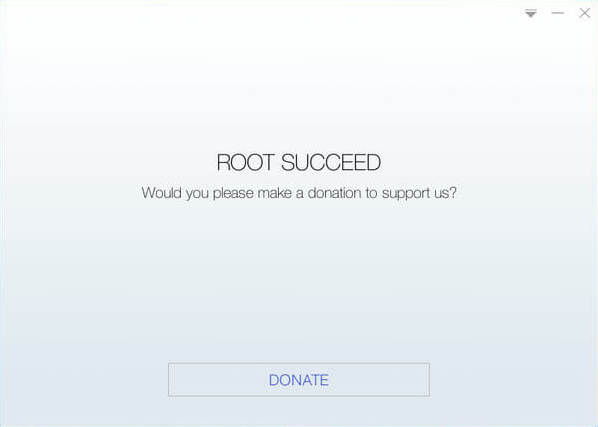
  13. Root succeeded.
  14. Hopefully your device is well supported and successfully rooted by Kingo. Until your device reboots itself, do not operate.
    Root any Android device with KingoRoot, the best one-click Android root tool.
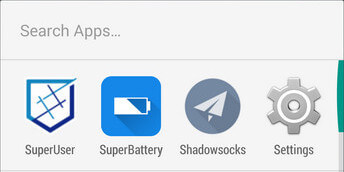
  15. Check the root status of your device.
  16. Normally, you will find an app named "SuperUser" installed on your device after successful rooting.
    Root any Android device with KingoRoot, the best one-click Android root tool.

Labels: , ,

Monday, March 14, 2016

New Android Trojan Which Gains Device Administrator Status Without You Even Knowing It!

Kaspersky, one of the leading IT security firms has discovered the most sophisticated trojan which enters your Android device, sends SMS without letting you know, downloads other malware & spreads it using bluetooth! If that’s not enough, this trojan secretly gets device administrator status, allows others to remotely control your device and makes it impossible for you to delete it!
This trojan has been named “Backdoor.AndroidOS.Obad.a” by Kaspersky which also names it as the deadliest trojan that could ever enter your Android smartphone or tablet!
Backdoor.AndroidOS.Obad.a has been well-coded and most of the code has been obfuscated. Obad uses several Android security loopholes and the creators of this deadly virus have made use of an error present in the popular APK to JAR conversion software DEX2JAR.
Once this trojan enters your device and is executed, it immediately tries to obtain Device Administrator status and once it gets that, your phone has a new owner! By owner I mean your device can now be remotely controlled, malware can be downloaded and spread automatically.
The problem with this trojan is that, once the installed malware gets administrator privilege, it’s nearly impossible to delete it! This is because it’s not listed as an application with device administrator privileges but it still enjoys them!
It’s difficult for a normal user to identify this trojan since it performs most of the work silently. Also this trojan lacks an interface. It works silently in the background. So you won’t even know if the trojan is installed on your device and if it’s running.
This menace is not wide-spread and affects less than 0.15% of all Android devices. Google has already been informed regarding this trojan and in the next Android update we might probably see the loopholes cleared.
For time being, you can use an antivirus. I recommend using Kaspersky Mobile Security. I use the premium version myself and I’m happy with it. I’ve it installed on all my Android devices and no virus has dared to enter my smartphone so far ;/0

Labels:

Wednesday, February 24, 2016

SamsunG S7

Samsung Raises Curtain on Galaxy S7 Models
 

Samsung on Sunday introduced two new models of its flagship Galaxy smartphone line at the annual gala for the mobile world, the Mobile World Conference in Barcelona, Spain.
Both phones have similar features, but one, the Galaxy S7 Edge, has a 5.5-inch display, the same size as the iPhone 6s Plus.
The units have curved screens that support quad HD resolution, as well as a slight curve on the back, making them easier to hold.
To soothe complaints about the battery life of the previous Galaxy generation, the units have received power boosts. The S7 Edge has a 3,600-mAh battery, a jump from the S6 Edge's 2,600, and the S7 has a 3,000-mAh power supply, while the S6's battery was only 2,550.
In addition, the units are water and dust resistant, support microSD storage, and run on Android 6.0 Marshmallow.

Fewer Megapixels

Samsung also has made some changes in the Galaxy's camera. It has reduced the number of megapixels on the shooter's sensor to 12 from 16, but increased the size of the pixels, which should improve the camera's performance in low light conditions.
The pixels in the new Galaxy models are 30 percent larger than those in the iPhone 6s Plus, 1.4 micron compared to 1.22 micron for Apple.
Both Apple and Google have gone the fewer-but-bigger-pixel route with some success, so Samsung's rivals already have done some of the consumer education about the move.
"It will work as long as they frame it in terms of bigger pixels get more light," said Daniel Matte, an analyst with Canalys.

Larger pixels also make it easier to incorporate into each pixel autofocusing technology, which allows the camera to take sharper pictures faster.
"Autofocus is really fast now -- nearly instantaneous anywhere across the image," Matte told TechNewsWorld.
"That's been in DSLRs and quality cameras for a while, and now it's migrated to the smartphone market," he added. "That's a big improvement."

Mixed Reviews

"They're a nice improvement over previous versions, but they're not groundbreaking," said Bob O'Donnell, founder and chief analyst at Technalysis Research.
"There isn't any one feature that's a killer and will massively move the needle in the market," Matte said.
"The best addition they made was adding Qualcomm's Snapdragon 820, which in certain use cases doubles the performance," Patrick Moorhead, principal analyst at Moor Insights & Strategy, told TechNewsWorld.

Virtual Reality

For consumers who preorder either of the new phone models up to March 18, Samsung is offering a sweet deal: a free Gear VR headset.
In addition, Oculus is offering those who preorder the phones six Gear VR games for free.
Will the lure of a free VR headset help boost initial sales?
"There's not that much content out there for VR, so it's more of a gimmick at this point," Technalysis' O'Donnell told TechNewsWorld.
FEATURE OF SAMSUNG S7
"They're going to incent people to try VR," said Gartner Research Director Brian Blau.
"It's a nice incentive if you're interested in doing VR with a Samsung phone," he told TechNewsWorld. "Beyond that, it's not going to change the picture for overall smartphone sales."


Cooling Market

Samsung, as well other smartphone makers, would very much like to change the current picture for smartphone sales.
"We're seeing a lengthening of upgrade cycles for smartphones and growth is slowing. It's going to be hard for anyone to do well in the smartphone market in the next few years in terms of growth," Canalys' Matte said.
"As phones mature," he continued, "they become good enough for most people, so it's more difficult to sell them."
In the United States, another factor contributing to longer upgrade cycles is the phasing out of phone subsidies.
"Now that people are paying full price for their phones, they want them to last longer," O'Donnell said.
"Lifetimes are extending beyond two years, so just as we saw lifetimes extend for PCs, we're going to see them extended for phones," he added.

Nevertheless, Canalys is predicting another double-digit growth year for smartphones this year. Globally, it predicts smartphone shipments will crack 1.5 billion in 2016.
"Despite turbulence for certain vendors and countries," it noted in a report released Monday, "the industry will still grow by over 10 percent this year thanks to new opportunities."

Labels:

Friday, February 12, 2016

CORTANA IN ANDROID

Pakua cortana kwenye android  kuanzia version 4,1 na kuendelea :>>>>PAKUA HAPA<<<
Read more »

Labels: