Sunday, May 15, 2016

BEST HACKING TOOLS

 HACKING TOOL
The internet has as many downsides as well as upsides but it’s the lack of knowledge about dangers on users’ behalf makes it easier for hackers to go about their business — Let’s take a look at some of the best hacking tools and scripts.
Hacking can be used both for malicious purposes as well as a means for finding flaws in a system and notify the authorities to help them fortify their defences better. However, the tools and scripts used for hacking are known to all hackers for their own purposes. They help them greatly in their task by performing specific functions to gain leverage over a user’s system in case of non-ethical hackers and against malicious users in case of ethical hackers. Today we have covered some of them below.

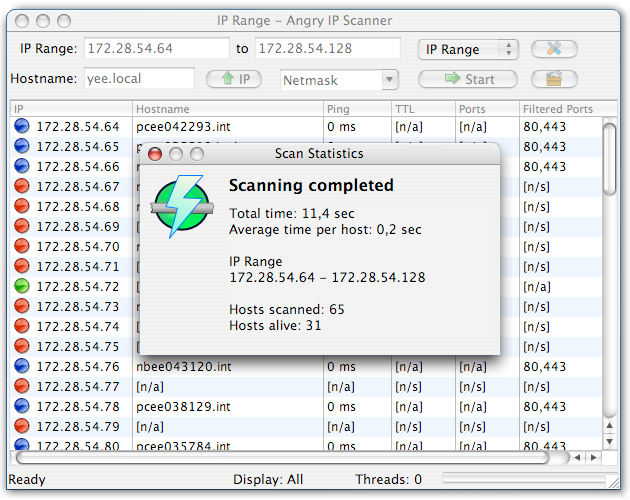
ANGRY IP SCANNER

A hacker can track people and snoop for their data using their IP address. Angry IP Scanner also goes by the name of ”ipscan” and helps someone scan IP addresses and ports to look for doorways into a user’s system. It is an open source and cross-platform software and one of the most efficient hacking tools present in the market. Network administrators, as well as system engineers, are known to use Angry IP Scanner quite frequently.
angry-ip-scanner-7

KALI LINUX

Kali Linux was released in August 2015. It has a major release known as Kali Linux 2.0. This app is packed with distribution and interface tools. It has an improved hardware and supports a large number of Desktop environments. Kali Linux is a security-focused operating system you can run off a CD or USB drive, anywhere. With its security toolkit, you can crack Wi-Fi passwords, create fake networks, and test other vulnerabilities.

Kali_Linux_2

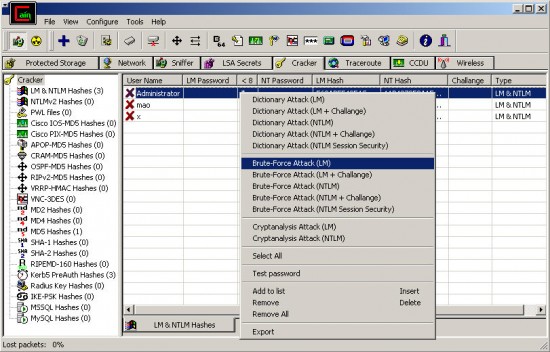
CAIN & ABEL

Cain & Abel is a password recovery and hacking tool, primarily used for Microsoft systems. It helps with password recovery by cracking encrypted passwords using a few brute force methods like the dictionary method. Cain & Abel can also record VoIP conversations and recover wireless network keys.
CainAndAbel-550x352

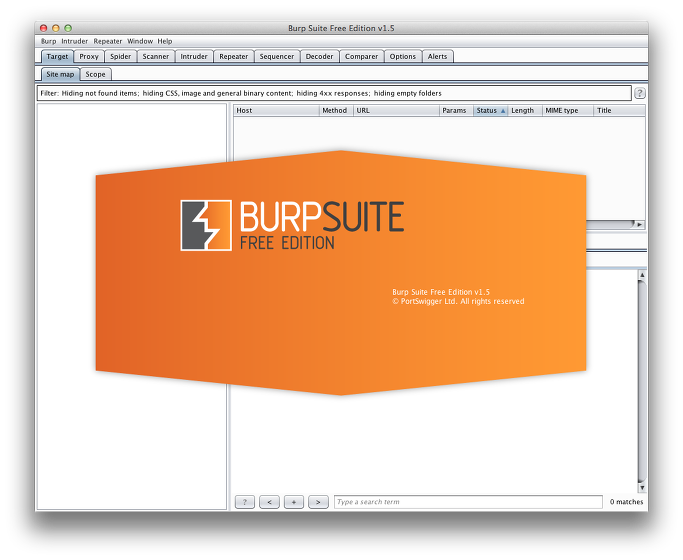
BURP SUITE

Burp Suite Spider, which is used to map out and list the different parameters and pages of a website merely by examining the cookies and initiating connections with applications residing in the website, is arguably the most important component of Burp Suite. Vulnerabilities in the web applications can be easily identified using Burp Suite, and many hackers employ this method to find a suitable point of attack.
burpsuite

ETTERCAP

Widely popular tool, Ettercap helps deploy a Man in the Middle attack. Attackers can use different attack methods on a victim’s system if its functioning is successful.
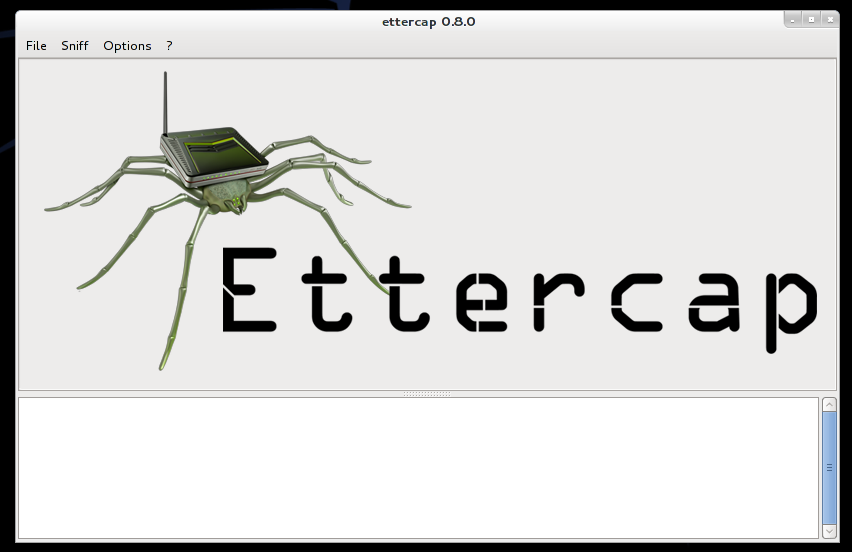
ettercapgui

JOHN THE RIPPER

John the Ripper is a password cracking tool and uses the method of a dictionary attack, where different combinations of the words in a dictionary are matched against an encrypted string to find a hit. John the Ripper is obviously a brute force technique, and its viability depends on the strength of the password chosen by the user. Like all brute force methods, it will give a positive result, though the time it spends in doing so helps one decide whether to opt for it or not. It is a common tool used by hackers, though.

johntheripper2_10_carrousel_02

METASPLOIT

Metasploit is another cryptographic tool that is hugely popular with hackers, whether they are black hat or white hat. It helps hackers gain knowledge about known security vulnerabilities. Its evasion tools are one of the many applications of Metaspoilt.
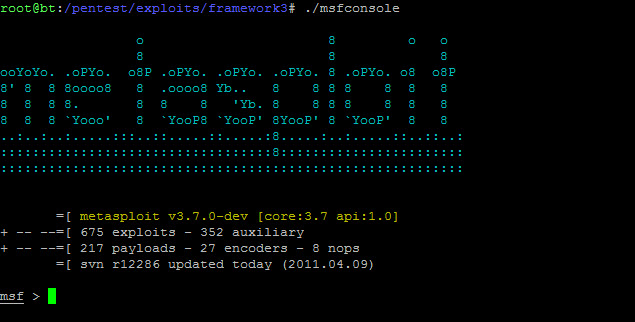
metasoloitOther noteworthy tools include NmapWiresharkAircrack-ngNessusTHC HydraNetcat and Putty.

CONCLUSION

In this article, we saw some common and popular hacking tools that are used extensively by hackers to help them in their task. These tools are also used by both cyber-criminals and ethical hackers to infiltrate or to protect a system respectively.

Labels: , ,

Monday, May 9, 2016

10 WAY TO PROTECT YOUR PC

How well would you cope if all of the data on your computer was suddenly inaccessible? Or what if your credit card numbers were stolen online?
Unfortunately these are ever-present dangers. But there is free software available that will allow you to safely protect your computer.
In the past, running anti-virus software was enough to keep you protected. But nowadays, there are at least three components you’ll need for proper PC security:
  • Anti-virus
  • Anti-spyware
  • Firewall
None of these programs will guarantee that your computer is safe, but here are 10 free software applications you can use to help protect your personal data from harm. (Note also that many of these programs are intended for personal/home use only.)
Operating System Updates
If you are using Windows (like about 90% of web users) you need to make sure your copy of Windows is kept up-to-date using Windows Update. This protects you against any vulnerabilities or bugs that have been discovered in the operating system. The best solution is to make sure automatic updates are on, but if you choose to update manually, Microsoft recommends that you check for new updates once a week.
Spyware
Probably the largest threat to your computer is spyware. Spyware can add annoyances to your web browsing like extra popups or redirecting you to inappropriate websites. Most dangerously, it can allow unscrupulous individuals to steal your personal information including credit card numbers or banking data.
Windows Defender
Windows Defender from Microsoft won’t interfere with other spyware apps, so it’s a good idea to have it running even though it is not the most effective anti-spyware tool available. If you have Vista, make sure it’s turned on by going to Start > All Programs > Windows Defender, then Tools > Options, and underAdministrator options, select or clear the Use Windows Defender checkbox. If you have XP, you candownload Windows Defender for free from Microsoft’s website.
Malwarebytes’ Anti-Malware 
Malwarebytes’ Anti-Malware is described by CNet as a “surprisingly effective freeware antimalware tool.” Its free version is fast and generally very effective at identifying and removing spywar, trojans, and other troublesome software. (Note that realtime protection is only available in the paid version.)
Spybot Search & Destroy
Spybot S&D is lightweight and frequently updated. It scans your computer quickly compared to many other anti-spyware applications, and includes optional real-time (constant) protection. However its interface can be confusing so you’ll have to take a little time to learn how to use it.
Comprehensive guide on network security from Answers.com’s Networking Expert Chad Williamson.
Anti-virus
Viruses used to be the most common computer threat. Today viruses are less common than spyware, but it is still necessary to run anti-virus software to keep your computer protected. Most anti-virus software continually scans your computer as you work so that you will immediately be alerted to potential threats.
Avast! Anti-Virus
Avast! is oddly named but it doesn’t take up a lot of system resources and includes “anti-rootkit” protection. (Rootkits are programs hackers use to access systems.) Free registration on the Avast! website is required to obtain a license key to use this software.
Avira AntiVir
A third option for virus protection is Avira AntiVir, which requires no registration to download and use. It does not scan incoming or outgoing email, but it is usually fast when doing full-computer scans and runs constantly to keep you protected.
AVG Anti-Virus Free Edition
AVG was one of the first free anti-virus applications and is a reliable standard. Its newest version includes some new features and a new interface but has been criticized for slowing down your computer a bit more than previous releases, so it’s best for reasonably fast/recent computers.
Firewall
A firewall moderates the data that is allowed in and out of your computer. Hardware firewalls (such as a router) prevents data (except the types that you choose) from entering or leaving your computer. Software firewalls can also monitor which programs are sending and receiving data and allow you to prevent individual applications from doing so.
Windows Firewall
Windows Firewall is included with Windows XP SP2 and Vista. Since you likely already have it, you might as well use it, even though it is less effective than other free solutions. To make sure it’s running, in XP go to Start > Control Panel > Windows Firewall … in Vista, go to Start > Control Panel > Security > Windows Firewall.
Comodo Firewall Pro
Comodo Firewall Pro is the highest rated free firewall program as judged by an independent security organization.[1] It also includes some basic virus protection and spyware protection, but it should not be used as a replacement for those programs. Comodo is a good choice if you’re looking for a full featured free firewall solution.
Web Browser
The final software recommendation to keep you safe is using Mozilla Firefox or Google Chrome as your web browser instead of Internet Explorer. Although IE9 presents many significant improvements over previous versions, Firefox and Chrome (or Opera, another free competitor) are web browsers which include built-in security features to try to keep you safe from “phishing” sites (fake sites that try to trick you into entering personal information) and are not vulnerable to certain types of attacks that Internet Explorer is.
Final advice
Of course the very best way to avoid spyware, viruses, and hacker attacks in the first place is to be cautious! Carefully choose which websites you visit, don’t click links in email or instant messages, and don’t install any software without researching it first. If you keep these guidelines in mind, you’ll be on the right track to keeping your personal computer and your data safe!

Labels: ,

Monday, May 2, 2016

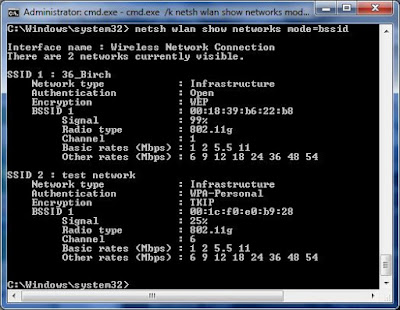
NETWORK COMMAND IN WINDOW


 network command
The following are common Microsoft Windows network commands
ipconfig
Ipconfig is a Console Command which can be issued to the Command Line Interpreter (or command prompt) to display the network settings currently assigned to any or all network adapters in the machine. This command can be utilised to verify a network connection as well as to verify your network settings.
netstat
Displays active TCP connections, ports on which the computer is listening, Ethernet statistics, the IP routing table, IPv4 statistics (for the IP, ICMP, TCP, and UDP protocols), and IPv6 statistics (for the IPv6, ICMPv6, TCP over IPv6, and UDP over IPv6 protocols). Used without parameters, netstat displays active TCP connections.
tracert
The tracert command is used to visually see a network packet being sent and received and the amount of hops required for that packet to get to its destination.
Users with Microsoft Windows 2000 and Windows XP who need additional information network latency and network loss should also consider using the pathping command.
ping
Helps in determining TCP/IP Networks IP address as well as determine issues with the network and assists in resolving them.
pathping
Provides information about network latency and network loss at intermediate hops between a source and destination. Pathping sends multiple Echo Request messages to each router between a source and destination over a period of time and then computes results based on the packets returned from each router.
telnet
Telnet is software that allows users to remotely access another computer such as a server, network device, or other computer. With telnet users can connect to a device or computer, manage a network device, setup a device, transfer files, etc
ftp
FTP is short for File Transfer Protocol, this page contains additional information about the FTP command and help using that command in Unix and MS-DOS (Windows).
route
The function and syntax of the Windows ROUTE command is similar to the UNIX or Linux route command. Use the command to manually configure the routes in the routing table.
arp
Displays, adds, and removes arp information from network devices.
nslookup
Displays information that you can use to diagnose Domain Name System (DNS) infrastructure. Before using this tool, you should be familiar with how DNS works. The Nslookup command-line tool is available only if you have installed the TCP/IP protocol.
nbtstat
MS-DOS utility that displays protocol statistics and current TCP/IP connections using NBT.
netsh
One common way of using netsh is to reset the TCP/IP in Windows 2k/XP
Type this in Run or DOS Window – "netsh int ip reset"
In Windows XP you can run a graphical diagnostics by typing "netsh diag gui" into the run dialogue box. (This may take a little time to startup)
getmac
DOS command used to show both local and remote MAC addresses. When run with no parameters (ie. getmac) it displays MAC addresses for the local system. When run with the /s parameter (eg. getmac /s \\foo) it displays MAC addresses for the remote computer. When the /v parameter is used, it also displays the associated connection name and network adapter name.


Labels: ,