Snoopers and thieves can easily access
files and passwords on your computer, even without your Windows
password. All they have to do is insert a special disc (such as UBCD4Win or Hiren's BootCD)
into your computer and power it up. The computer will then boot from
the operating system on the disc, bypassing the Windows operating system
installed on the PC--and any passwords you’ve set--and giving the
intruders access to your hard drives.
If you want to protect your computer from this type of attack, you
have to encrypt the files that you don’t want others to be able to
access. That's why we're going to show you three different methods for
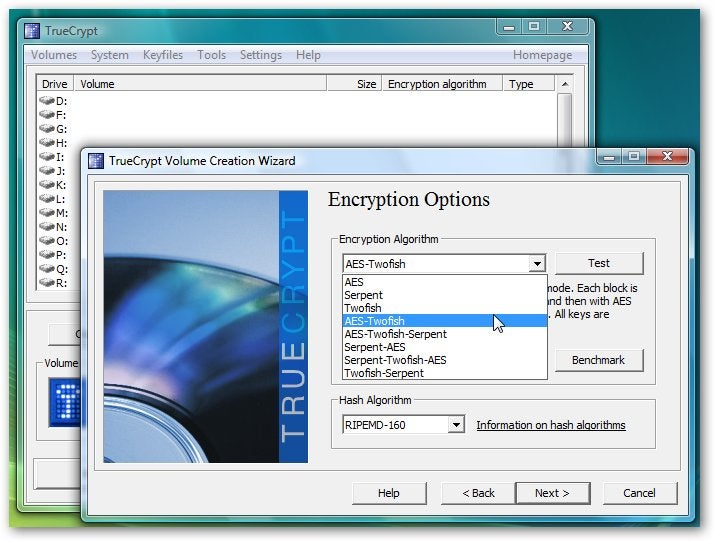
using encryption tools on your PC. If you're looking to encrypt only a few sensitive documents, we recommend using TrueCrypt, which lets you create virtual encrypted disks where you can protect select files. Read "How to Use TrueCrypt to Encrypt Your Sensitive Documents"
for a step-by-step explanation of how to set up a basic virtual
encrypted disk that will make your important files unreadable to prying
eyes. On
the other hand, in case your work PC's data is important enough that
you want to encrypt the entire hard drive, we'll show you how to do
that, too. Windows 7 and Windows Vista's Ultimate and Enterprise
editions include a feature called BitLocker that can encrypt whole hard
drives, right down to the system files and password caches.
If you want full drive encryption but don't have Windows in its
Ultimate or Enterprise flavor, don't worry. We'll also walk you through
the process of using the third-party DiskCryptor
utility to encrypt your whole hard drive--and you (probably) won't have
to reformat to get started. What's more, it's absolutely free.




0 Comments:
Post a Comment
Subscribe to Post Comments [Atom]
<< Home